Overview of new Adobe features for 2024
At the Adobe MAX 2024 event in Miami, an updated Adobe Creative Cloud was unveiled, featuring over 100 new functions for Adobe Photoshop, Illustrator, Premiere Pro, and other applications. The new capabilities enable faster workflows and greater control over the creative process. Read more below.
Author - Mansur Ismagulov

The Tech AI
Get the key points in seconds - a short summary from The Tech AI.
In 2024, Adobe introduced new features in Creative Cloud: Selection Brush and Generative Shape Fill, AI tools in Premiere Pro, Lightroom, and InDesign. Photoshop was updated with Distraction Removal and a beta version of Generative Workspace. Project Neo for 3D, Firefly Video for clip generation, improvements in Frame.io, and Adobe Express were also implemented.
More creative possibilities in Adobe Creative Cloud
Throughout 2024, the company introduced many powerful features across various Creative Cloud applications, including the Selection Brush tool in Photoshop, Generative Shape Fill in Illustrator, a new AI-powered workflow in Premiere Pro, Generative Remove in Lightroom, and much more.
The most powerful version of Adobe Photoshop
Adobe updated the Distraction Removal tool to automatically remove unwanted elements from photos, such as tourists or wires, replacing them with a generated background.

Integration of Adobe Firefly into Photoshop continues, adding new capabilities for creating realistic images with detailed composition and color. The new Generate Similar feature allows users to create more variations of generated images.
Two features have been added to the Photoshop beta: Generative Workspace for generating multiple concepts simultaneously using text prompts, and Adobe Substance 3D Viewer for viewing and editing 3D files.
GenAI integration in Adobe Premiere Pro
Adobe Premiere Pro offers a new way to use GenAI through the Generative Extend feature, which adds additional frames at the beginning or end of a video, enabling smoother transitions and better conveyance of ideas.

Enhancing graphic design in Adobe Illustrator
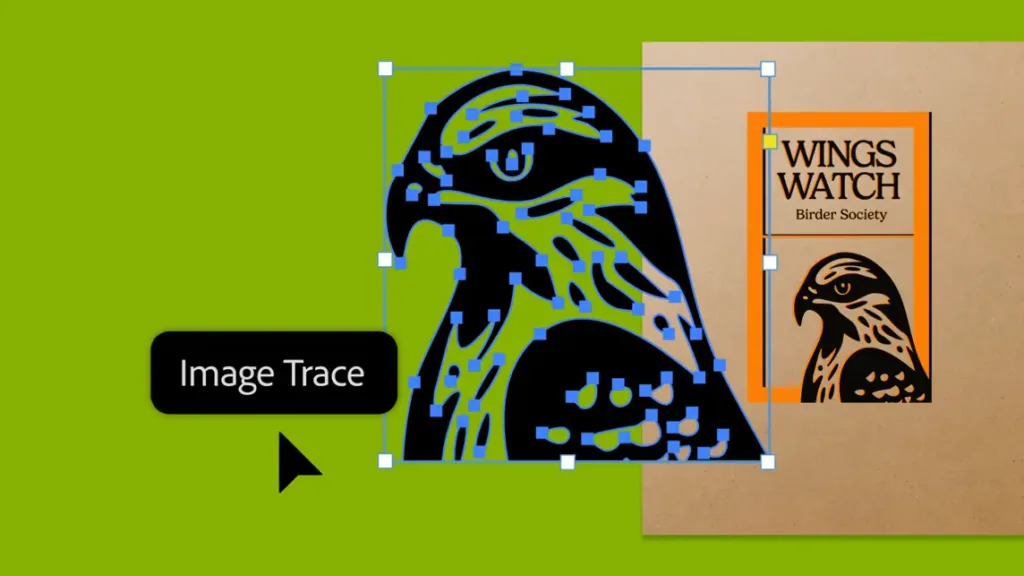
The new Objects on Path feature allows for quick attachment and movement of objects along any trajectory. Improved Image Trace enables conversion of images and raster graphics into editable vectors with higher accuracy. The Mockup feature is now available to everyone. You can create brand mockups and fashion designs by placing your images onto photos of real objects. Illustrator automatically adapts your design to the curves and edges of the object.
New GenAI features in Adobe InDesign
Adobe InDesign is introducing new AI features, such as Generative Expand and Text to Image, allowing direct editing of images within layouts. For designers working on scientific or technical publications, the MathML feature has been introduced to add mathematical equations with improved visualization quality and accessibility. Exporting InDesign documents to Adobe Express is now also available, allowing other team members to make changes while maintaining the overall design.
Amazing photos faster with Adobe Lightroom
Adobe Lightroom simplifies the process of achieving desired results with photographs using essential tools. The Generative Remove feature is now available to everyone with improved selection and object recognition, making element removal easier and more accurate. Content Credentials in beta allows attaching a name, social media links, and a list of changes to photographs with a digital signature linked to content authenticity. Performance updates, additional HDR support, and Smart Albums are also being implemented.
Creating 3D content for 2D designers with Project Neo
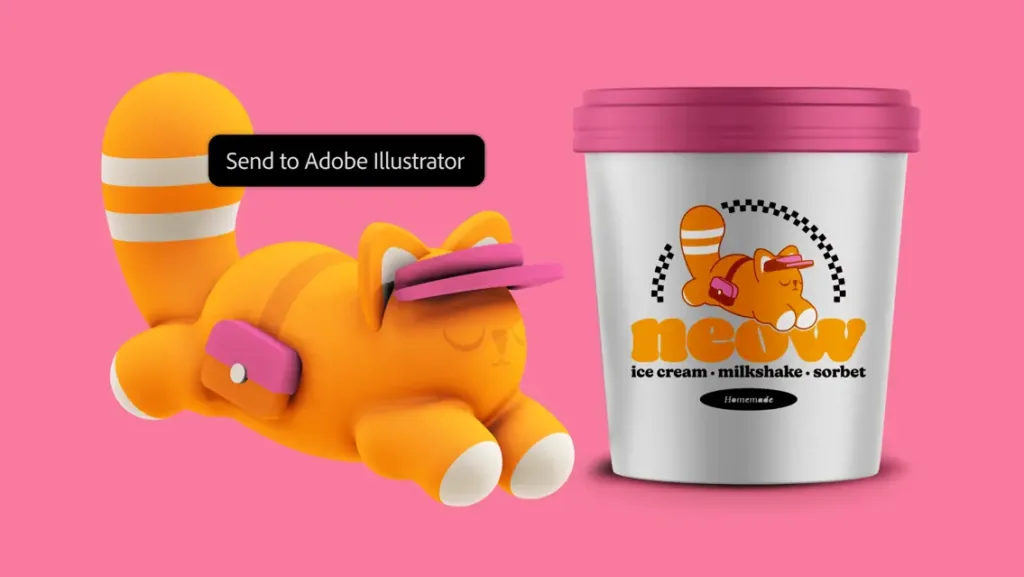
This is a completely new approach to creating 3D content: a web application designed for designers working in 2D applications like Photoshop and Illustrator. With Project Neo, you can create and edit 3D shapes and artwork in the browser using a familiar interface. Created works can be opened in Adobe Illustrator as vectors for further editing.
Applying GenAI to video with Adobe Firefly Video
The Firefly Video model is added to the growing family of generative AI models for creativity, all of which are safe for commercial use and trained only on content with permission.
The new Generate Video module in the Adobe Firefly web application is available in beta. It allows using text prompts to create new video clips, helping to convey creative ideas, create additional frames to fill gaps, or add new elements to a scene.
Managing the creative process with Frame.io
Frame.io offers tools to support the entire creative process: creating and managing workflows, file transfer, efficient review and approval cycles, and secure collaboration with stakeholders and clients.
Innovations in Adobe Express, the fast content creation app
Adobe Express is a fast and simple app for creating diverse content, included in most Creative Cloud subscription plans. With it, you can quickly create social media posts, videos, flyers, and more in one convenient app on websites and mobile devices.
New capabilities in Adobe Express for all types of creative work were presented at MAX:
— campaign creation: Adobe Express helps create all necessary content from a single design with a few clicks
— rewriting: this feature helps rephrase, shorten, or change the tone of text in a design
— animation: you can now animate multiple elements in a design, including text and images, using AI
— import from other apps: it is now possible to import files from other Adobe apps, such as Photoshop and Illustrator
— one-click brand customization: you can instantly recolor photos or illustrations to match a brand or create templates with locked elements.
Read the full article at this link.
The Tech on Telegram Follow The Tech on Telegram
Keep up with the latest technology and startup news.
Related reading







More from this author

News
zypl.ai begins operations in Japan and focuses on next-generation risk models
Mansur Ismagulov

News
Elon Musk's net worth has exceeded $700 billion for the first time
Mansur Ismagulov

Article Interviews
"Central Asian countries should build a joint ecosystem," — Bekhzod Ismoilov on the development of AI in the region
Mansur Ismagulov

Article Interviews
Bloom's Taxonomy and Engineering Levels: A Practical Growth Model
Mansur Ismagulov

Article Useful
How the IT industry in Azerbaijan developed in 2025: key events
Mansur Ismagulov

News
Tajikistan has become a new member of the regional innovation alliance Central Asian Innovation Hubs
Mansur Ismagulov