Prompt for creating an AI photo on a winter vacation
Read and take the prompt below to replicate the photo.
Author - Mansur Ismagulov
How to create a photo
1. Open Gemini or another image generator.
2. Insert your high-quality photograph along with the prompt below.
3. Optionally, add descriptions of appearance, clothing, or scene details.
Prompt
A hyperrealistic professional photograph taken with a Canon DSLR camera, ultra HD quality, ISO 50000, ND filter applied, cinematic lighting.
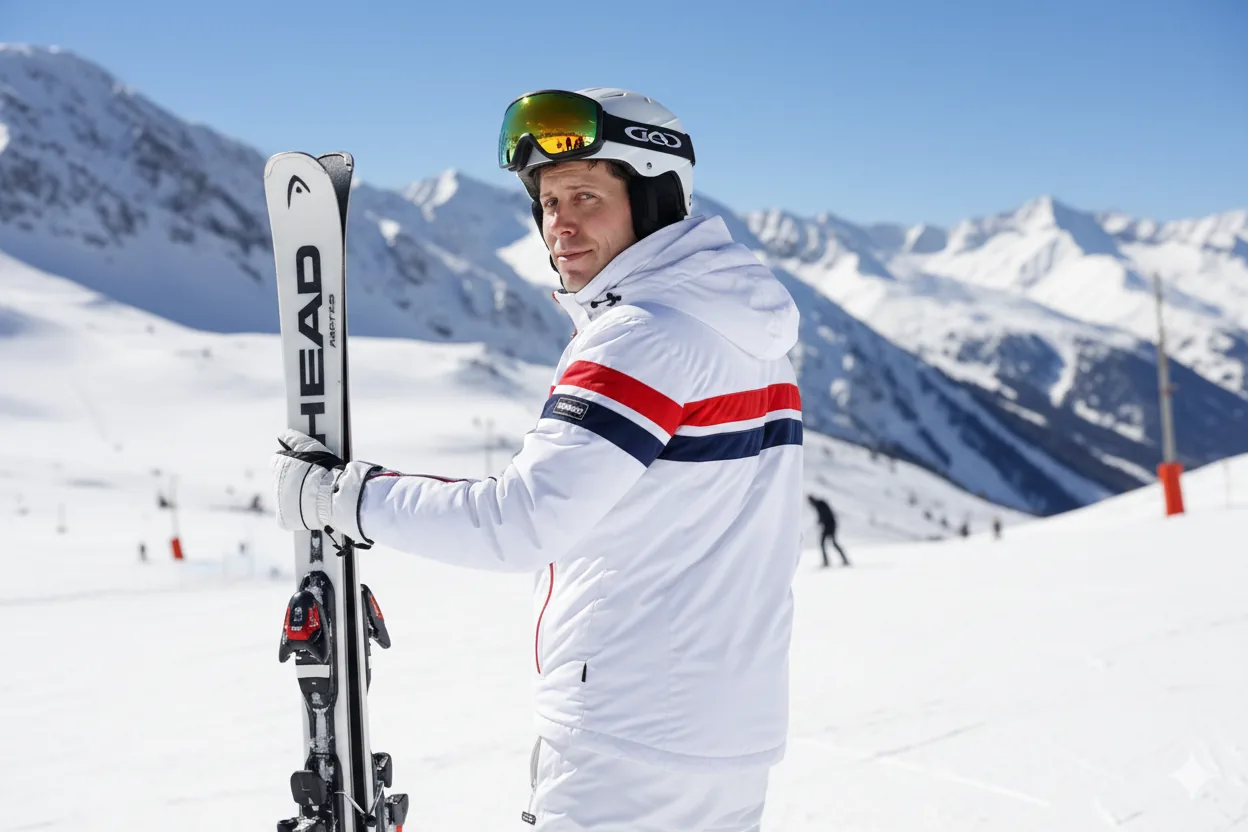
The scene shows a man/woman standing on a snowy mountain ski slope, holding a pair of HEAD skis upright in one hand. He/She is turned slightly to the side, looking back over his/her shoulder toward the camera with a confident, relaxed expression — as if someone is taking a tourist photo of him/her.
He/She is wearing a white padded ski jacket with red and navy blue stripes on the sleeves and back, matching white ski pants, white gloves, and a white helmet with yellow-tinted ski goggles resting on top. In the reflection of the goggles, two people can be seen skiing down the slope — small, natural, and realistic details within the mirrored lens.
The background features sharp, detailed, snow-covered mountains that appear closer and more prominent than in the original reference, with crisp textures and bright contrast. The sky is a deep blue under the bright midday sun, with soft lens flare and reflections on the snow.
In the distance, ski slope markers, safety poles, and flags can be seen, indicating the designated skiing area — subtle but clearly visible details that add authenticity to the scene.
Keep the same composition, angle, and framing as the original photo — a waist-up shot from a slightly rear-side perspective. The lighting, tone, and atmosphere should feel natural, vivid, and perfectly realistic, as if captured by a high-end professional camera in real conditions.
The Tech on Telegram Follow The Tech on Telegram
Keep up with the latest technology and startup news.
Related reading







More from this author

News
zypl.ai begins operations in Japan and focuses on next-generation risk models
Mansur Ismagulov

News
Elon Musk's net worth has exceeded $700 billion for the first time
Mansur Ismagulov

Article Interviews
"Central Asian countries should build a joint ecosystem," — Bekhzod Ismoilov on the development of AI in the region
Mansur Ismagulov

Article Interviews
Bloom's Taxonomy and Engineering Levels: A Practical Growth Model
Mansur Ismagulov

Article Useful
How the IT industry in Azerbaijan developed in 2025: key events
Mansur Ismagulov

News
Tajikistan has become a new member of the regional innovation alliance Central Asian Innovation Hubs.
Mansur Ismagulov