LinkedIn from the Recruiter's and Regular User's Perspective: A Profile X-Ray
Having a LinkedIn profile does not guarantee responses from recruiters. According to statistics, 80% of specialists decide on their initial interest in a candidate within just six seconds. Even if your profile is fully completed, it doesn't necessarily mean it "sells" you as a professional.
Author - Mansur Ismagulov
Important to understand: An ordinary user or job seeker looks at a profile superficially — paying attention to the photo, the number of connections, and the basic description. However, a professional recruiter or HR specialist evaluates the profile much more deeply: they notice details that directly influence the decision to invite you for an interview.
We have prepared a brief analysis of how the same profile looks through the eyes of an ordinary user and through the eyes of a recruiter. Read until the end — at the end, we share useful tips and a course that helps improve your profile.
Profile 1: https://www.linkedin.com/in/shoislom/
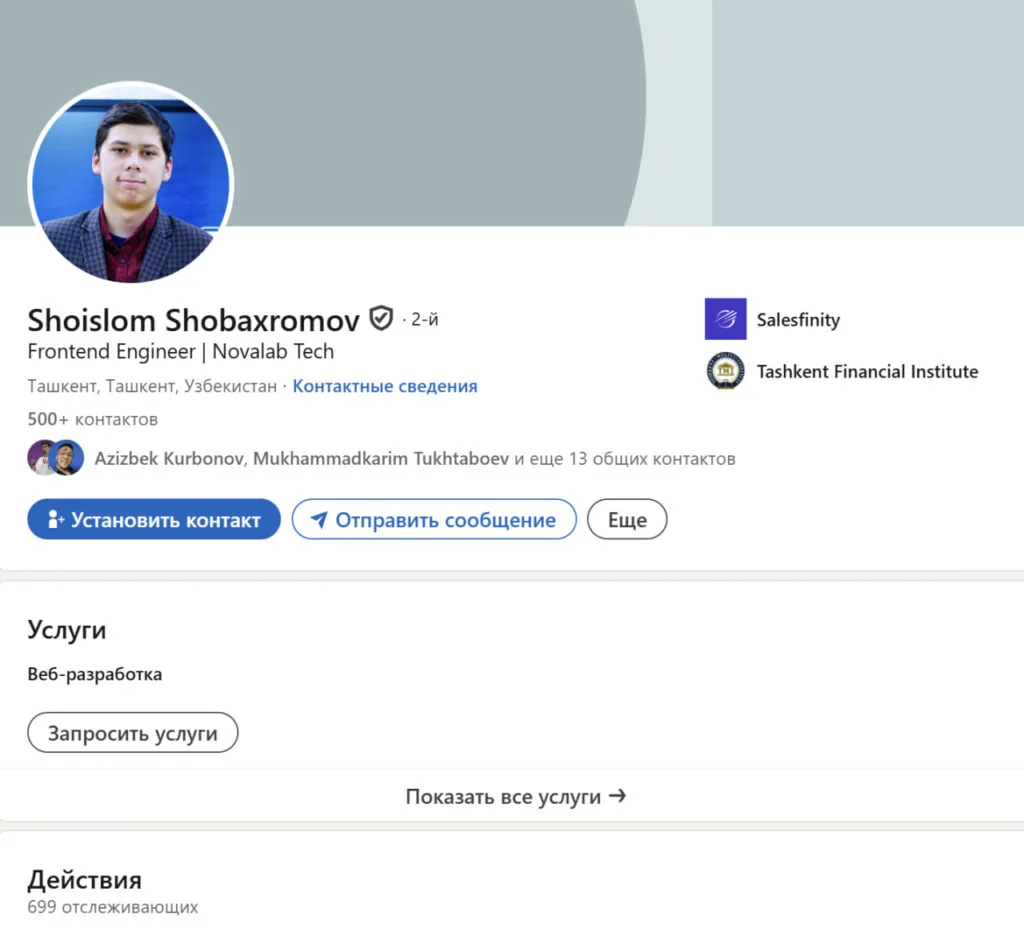
How an ordinary person sees the profile
At first glance, it seems that the profile is fully set up: there is a photo, work experience is filled out in detail, and key skills are added.
Everything is neat, and the information is in place. But this is only the external "wrapper." Recruiters see deeper.
How a recruiter sees the profile
1. Profile Photo
The photo is high quality; however, it is recommended to add an image with a smile. You can test the effectiveness of your photo on PhotoFeeler. The higher the rating, the more attractive the profile will be to recruiters.
2. Profile Background
To enhance the visual impression, it is recommended to add a profile background. Free templates are available at Canva LinkedIn Banners.
3. Headline
It is recommended to replace the current headline "Frontend Engineer | Novalab Tech" with:
Frontend Engineer | Frontend Developer | React, TypeScript, Next.js | Design Systems & Scalable UI | JavaScript Expert
Be sure to include your current tech stack, which increases the likelihood of your profile appearing in recruiter search results.
4. About Section
Add a short intro about yourself that reflects key competencies and professional interests.
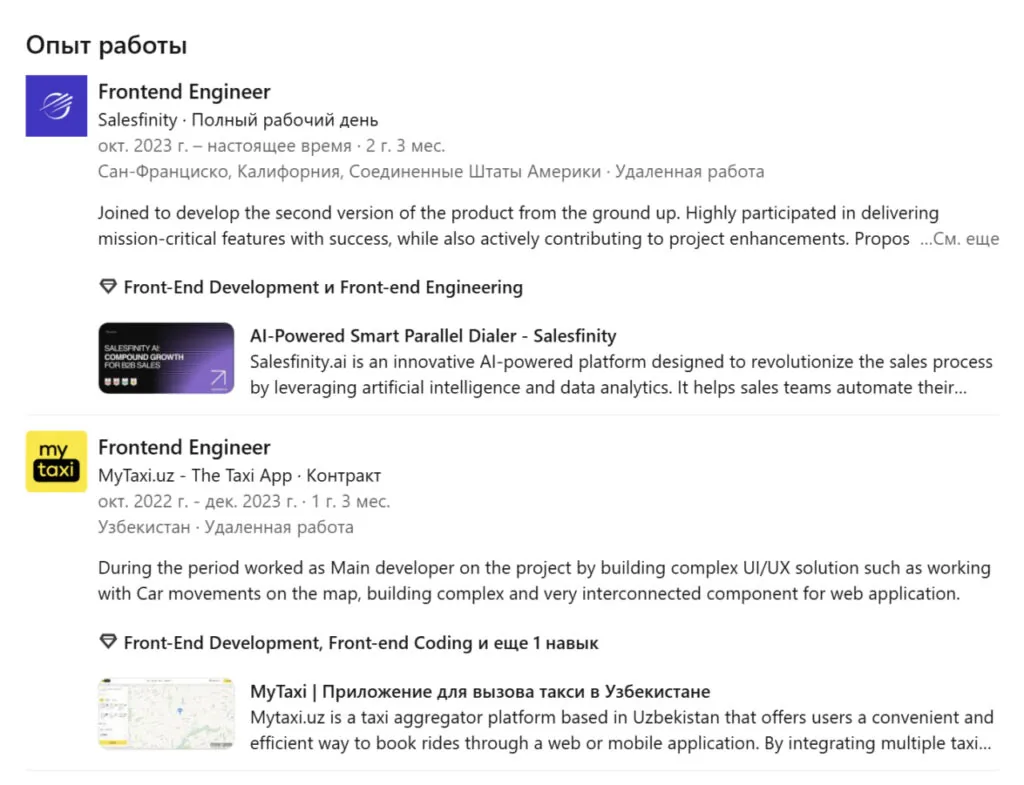
5. Professional Experience
Work experience is recommended to be formatted as:
Led the development of the product’s V2 from the ground up, migrating the codebase to [Insert Tech] for improved scalability.
Delivered mission-critical features that became the core of the user journey, ensuring a [mention outcome].
Proactively identified UX bottlenecks and implemented interface improvements that increased user engagement by [X]%.
6. Company Experience Description
Highlight achievements at Novalab Tech, removing mentions of staff augmentation work if necessary.
7. Education
The section is formatted correctly and requires no changes.
8. Additional Sections
It is recommended to add sections: "Certifications," "Volunteering," "Courses," and "Hobbies."
9. Skills
The current skills are filled out correctly; however, it is recommended to expand the list to 50 items to increase profile visibility.
10. Recommendations
Add recommendations from colleagues and partners to increase trust in the profile.
11. LinkedIn Activity
Regular activity — posts, comments, and reposts — helps increase reach and attract recruiters' attention.
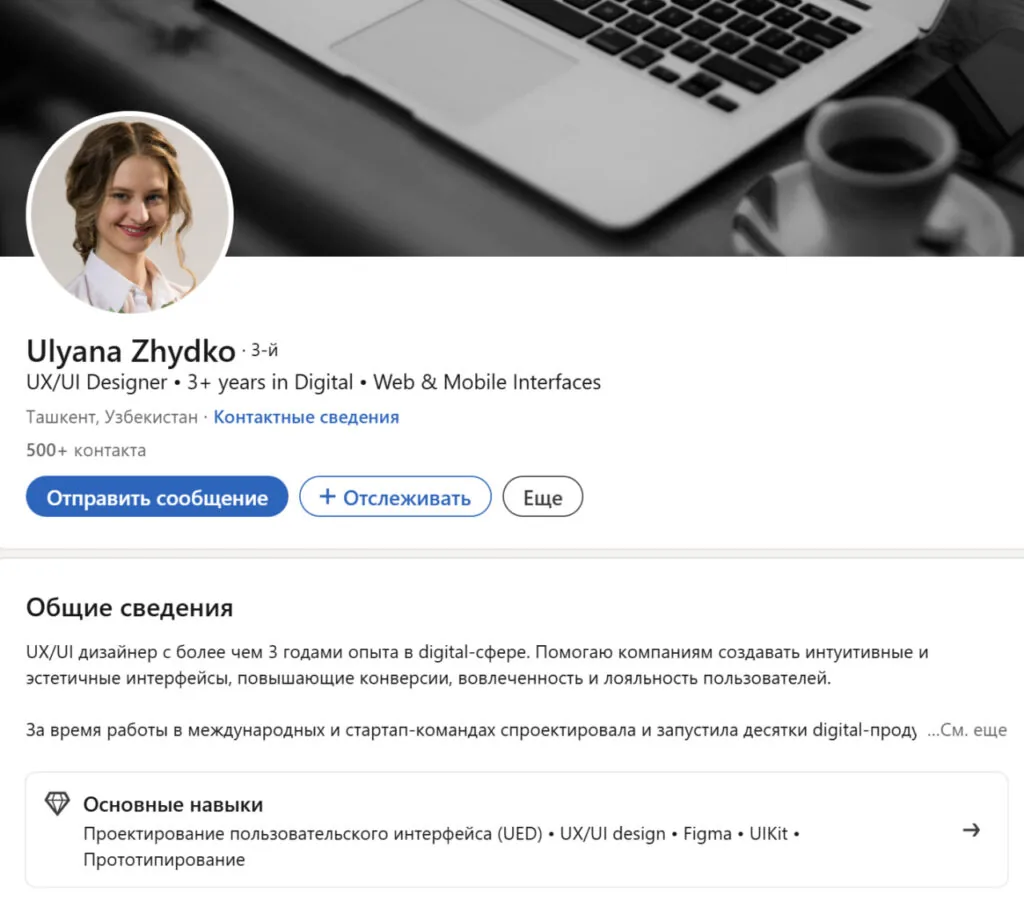
Let's analyze the second profile: https://www.linkedin.com/in/ulyanazhydko/
How an ordinary person sees the profile
At first glance, the profile looks good and fully filled out: there are professional photos, work experience is filled in, and skills are added. The design is neat.
How a recruiter sees the profile
1. Profile Photo and Background
The profile photo and background are formatted correctly and create a positive impression.
2. Profile Language
The profile uses two languages — English and Russian. It is recommended to choose one language, preferably English, to increase visibility among international recruiters.
3. Featured Section
Add a Featured section and place a link to your portfolio there. For designers, this is a mandatory element of the profile.
4. Headline
The current headline is recommended to be rewritten in the following format:
UX/UI Designer | Product Design | FinTech, SaaS & E-commerce | Mobile & Web Interfaces | Figma, Design Systems & Conversion Optimization
This format includes keywords and increases the likelihood of appearing in search results.
5. About Section
The section can be rewritten in the following format to include more keywords:
I help companies build intuitive, high-converting digital products. My focus is on creating seamless user experiences that drive engagement and long-term loyalty.
Key Impact & Projects:
• Humans (FinTech/Telco): Redesigned core mobile app modules, leading to increased user retention and improved visual consistency.
• HealthTech: Designed a veterinary service app that reduced call center volume by 35% through a streamlined online booking system.
• E-commerce: Developed a furniture store mobile interface, resulting in a 25% increase in online conversions.
• SaaS: Architected a complex task management platform with a focus on accessibility, responsive layouts, and multi-theme support.
Core Skills: Product Design, Design Systems, User Research, Interaction Design, Information Architecture, Prototyping (Figma).
Interests: FinTech, E-commerce, Telco, and Lifestyle-Tech.
? Portfolio: [Link] ? Email: [Your Email]
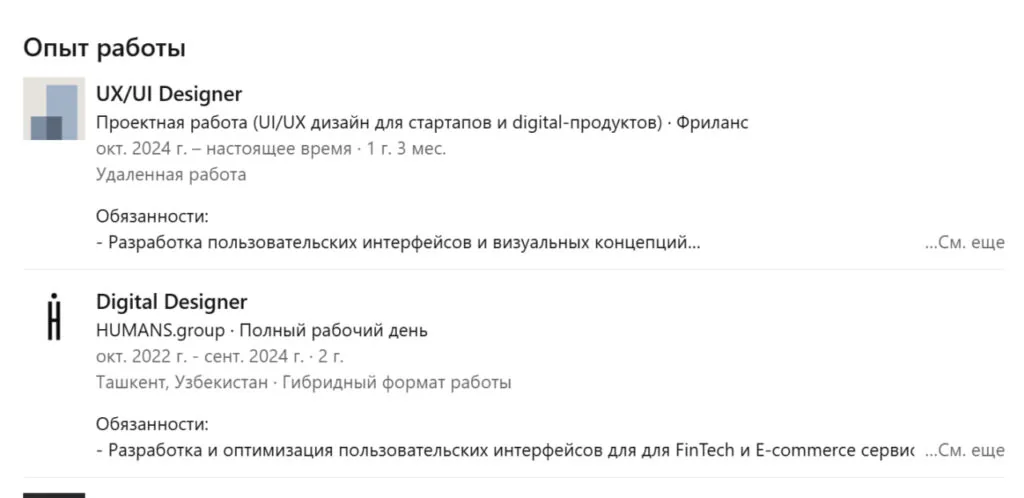
6. Experience Description
Work experience is formatted correctly. It is recommended to translate it into English to increase reach.
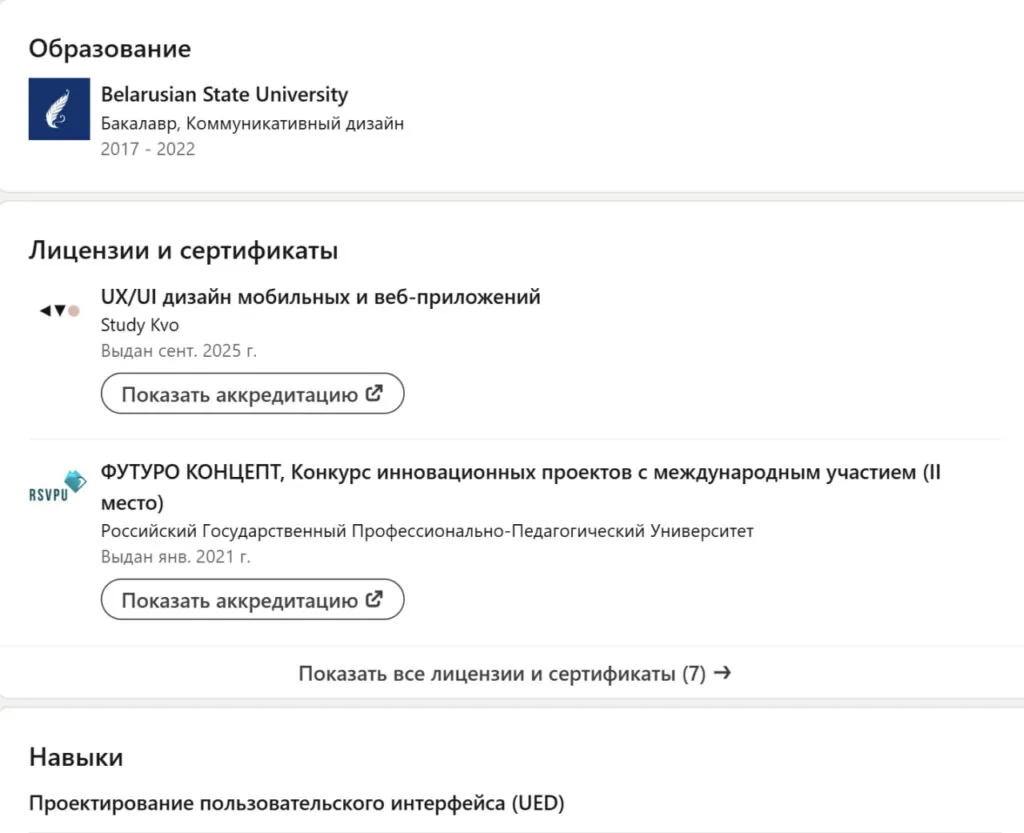
7. Education and Courses
The education and courses sections are filled out correctly and require no changes.
8. Additional Sections
It is recommended to add project examples — Projects, volunteering activities, and hobbies, so that the profile looks complete and well-rounded.
9. Skills
The skills list should be expanded to 50 items to increase profile visibility and search accuracy.
Key Insights
— photos and backgrounds create a first impression, but profile content is more important
— Headline and About should contain keywords and an up-to-date tech stack
— work experience is best described through specific results and achievements
— add sections: certifications, projects, volunteering, hobbies, portfolio, recommendations
— an expanded skills list and LinkedIn activity increase visibility
— use one profile language for an international audience.
If you want your LinkedIn profile to actually work and attract recruiters' attention — join the practical course from Mohirdev. Under the guidance of expert Ivan Doronin, you will learn how to create a "selling" profile that helps find job vacancies and new opportunities. More details and registration at the link: https://mohir.dev/MM
The course will help:
— properly format your profile and make it clear to recruiters
— stand out from other candidates and increase visibility in search
— correctly describe experience, skills, and achievements
— format the profile "header," photo, headline, and About section so that they work toward your career goals.
The course is available in Uzbek, and in Russian starting in January.
More about the course.
Additionally, on December 20, an open webinar in Russian will take place, where the speaker will explain how recruiters search for candidates, which profiles attract attention and which do not, and provide practical recommendations that can be applied immediately.
For participants' convenience, translation into Uzbek will also be available.
Webinar link.
If you are a student, graduate, specialist, freelancer, or entrepreneur and want to receive more responses and open up new career opportunities, this webinar will be especially useful for you.
The Tech on Telegram Follow The Tech on Telegram
Keep up with the latest technology and startup news.
Related reading







More from this author

News
zypl.ai begins operations in Japan and focuses on next-generation risk models
Mansur Ismagulov

News
Elon Musk's net worth has exceeded $700 billion for the first time
Mansur Ismagulov

Article Interviews
"Central Asian countries should build a joint ecosystem," — Bekhzod Ismoilov on the development of AI in the region
Mansur Ismagulov

Article Interviews
Bloom's Taxonomy and Engineering Levels: A Practical Growth Model
Mansur Ismagulov

Article Useful
How the IT industry in Azerbaijan developed in 2025: key events
Mansur Ismagulov

News
Tajikistan has become a new member of the regional innovation alliance Central Asian Innovation Hubs.
Mansur Ismagulov