Claude Code, Cursor, Codex CLI, and Gemini CLI: Which Tool to Choose in 2026
Let's figure out how the four main tools differ and which one is suitable for whom.
What unites them — and how they differ
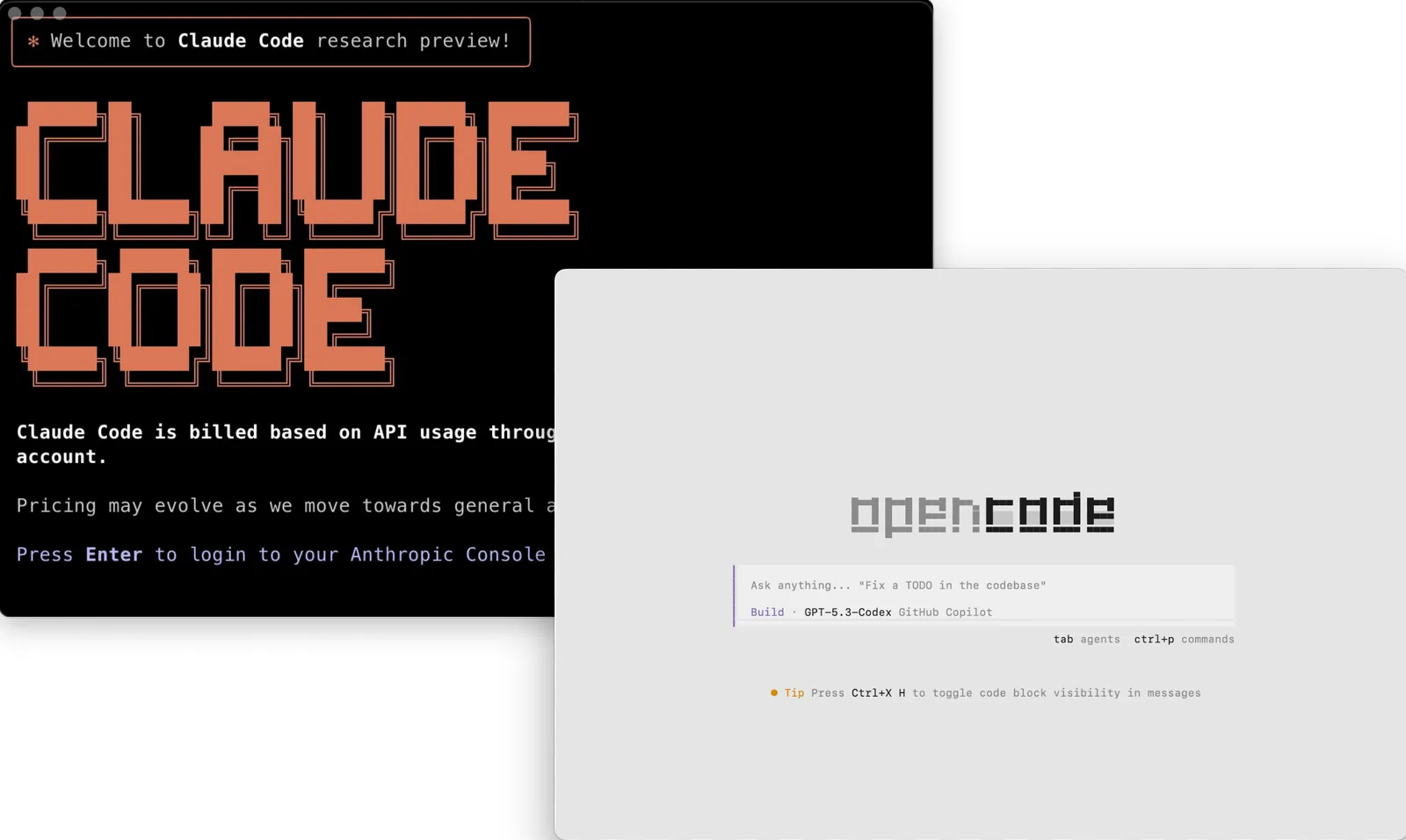
All four tools do the same thing at a basic level: they take a task and execute it without developer intervention at each step. But the environments are different. Cursor lives inside the editor. Claude Code and Codex CLI operate in the terminal.
Gemini CLI is also terminal-based, but on June 18, 2026, it will transition to a new project, Antigravity CLI. Choosing between them is not about “which is better,” but “which fits the scenario.”
Claude Code — for serious work with codebases
Claude Code runs in the terminal. You describe the goal, and it figures out what and where to change, runs tests, commits the code, and resolves errors from the logs. If CI fails, it reads the logs, fixes the issues, and runs again. All without your involvement.
The key difference from the others is its depth of work with large projects. The context window on the Opus 4.7 model is one million tokens, and this comes at no extra cost: a large request costs the same per token as a small one. Additionally, Claude Code has the most mature MCP ecosystem — a protocol created by Anthropic itself. This is important if the project uses custom tools, databases, or internal documentation.
Choose Claude Code if you work with large, interconnected projects and want to delegate tasks entirely rather than step by step.
Prices: Pro — $20 per month, Max 5x — $100, Max 20x — $200.
Cursor — for those who work in the editor
Cursor is a VS Code-based editor where AI is built literally everywhere: in autocomplete, in the chat, and in the Composer agent. There is no terminal or switching between windows — everything happens right where you write code.
You describe the task in plain language, and Composer makes changes across multiple files at once — routes, middleware, tests, environment variables — all in a single diff. You can run up to eight agents in parallel, and they won’t interfere with each other because each operates in its own git worktree. The model menu includes Composer 2.5, Claude Opus 4.7, GPT-5.5, Gemini 2.5 Pro, and others.
Cursor is suitable for those who spend their entire day in the editor and want AI nearby rather than in a separate window.
Prices: free Hobby, Pro — $20 per month, Pro+ — $60, Ultra — $200, Teams — $40 per user.
Codex CLI — for those who value speed and cost savings
Codex CLI is OpenAI’s terminal agent, rewritten in Rust in early 2026. It runs locally and, unlike the others, sees the state of your terminal in real time — such as a failed build or the status of a dev server — and takes it into account.
On the same $20 tariff, Codex consumes approximately 3–4 times fewer tokens per task than Claude Code. For those running many agent-based tasks in CI, this is a significant difference. The Goal mode allows the agent to work for hours without your involvement.
Codex is suitable if you have many automated tasks in CI or if cost efficiency is important under high load.
Prices: Go — $8 per month, Plus — $20, Pro — $100, Pro 20x — $200.
Gemini CLI — a free option with an important caveat
Gemini CLI is Google’s open-source terminal agent. Until June 18, 2026, it is the most generous free option on the market: 1,000 requests per day. The agent can work with Google Search directly during task execution — it can check API documentation on the fly.
However, there is an important change: Google announced the transition of Gemini CLI to a new project, Antigravity CLI. After June 18, 2026, free access will disappear for regular users — only the enterprise tariff will remain. Antigravity CLI is written in Go, supports asynchronous operation of multiple agents in the background, but unlike Gemini CLI, it is not open-source.
Gemini CLI makes sense right now if you need a free tool for personal projects or learning — before the transition date.
Prices: free until June 18, 2026. After that — only the paid enterprise tariff Code Assist.
Who is what suitable for
Cursor — if you spend most of your time in the editor and want AI nearby without switching to the terminal.
Claude Code — if you work with large projects, need deep autonomy, and actively use MCP.
Codex CLI — if you have many tasks in CI and value token savings under high load.
Gemini CLI — if you need a free start right now, with the understanding that you will need to choose an alternative before June 18, 2026.
The Tech on Telegram Follow The Tech on Telegram
Keep up with the latest technology and startup news.
Related reading





More from this author

Article Useful
How to protect your accounts from hacking: 8 settings you should check today
The Tech

Article Useful
500 Global: How the Accelerator Works and Who Can Receive Investments
The Tech

Article Interviews
Game Development in Central Asia: Arkady Moldavski on Developing Reverb and the Growth of the Industry
The Tech

Article Useful
Google, Tesla, BlackRock, and the IMF: Where to Apply for an Internship in Fall 2026
The Tech

News IT
Tesla unveiled the flying electric car Roadster
The Tech

News IT
Intero Biosystems startup won the Startup Battlefield at TechCrunch Disrupt 2026
The Tech