Minecraft character: how to create an image for reels and avatars
Author - Mansur Ismagulov
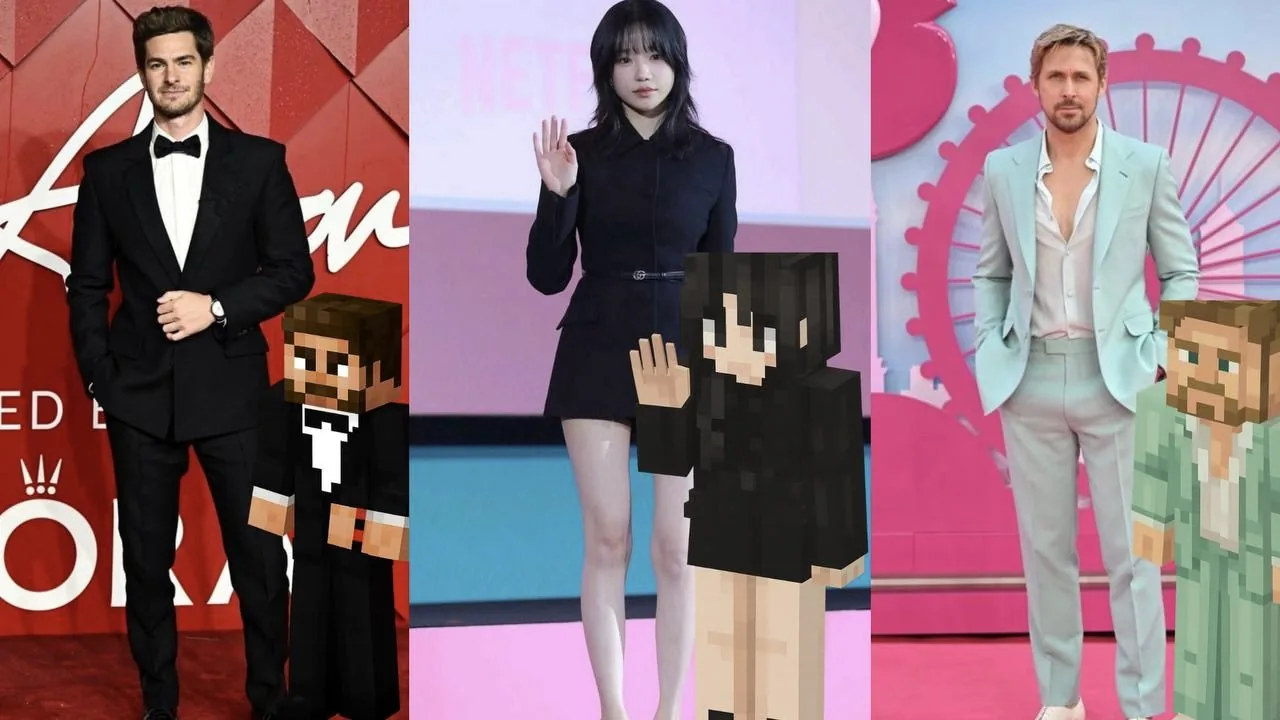
Want a cool Minecraft-style photo? Easy! With ChatGPT, you can turn any photo into a Minecraft character. Everything will be just like you: clothes, colors, hairstyle, accessories. You’ll get a 3D cubic version of yourself that’s sure to catch your audience’s attention.
1. Copy the prompt into ChatGPT
“Convert this image into a full-body minecraft-style character [blocky, pixelated, 3D voxel look]. Keep the same clothing, colors, hairstyle, and accessories as in the original photo so the character remains recognizable. Render in high resolution as a PNG with a transparent background, full body visible”.
2. Upload your photo to the chat
3. Get your character — completely in your style, bright and trendy.
If anything is unclear, check out the reel with instructions on our Instagram. link
Don’t forget to tag our Instagram @thetech.media.
The Tech on Telegram Follow The Tech on Telegram
Keep up with the latest technology and startup news.
Related reading







More from this author

News
zypl.ai begins operations in Japan and focuses on next-generation risk models
Mansur Ismagulov

News
Elon Musk's net worth has exceeded $700 billion for the first time
Mansur Ismagulov

Article Interviews
"Central Asian countries should build a joint ecosystem," — Bekhzod Ismoilov on the development of AI in the region
Mansur Ismagulov

Article Interviews
Bloom's Taxonomy and Engineering Levels: A Practical Growth Model
Mansur Ismagulov

Article Useful
How the IT industry in Azerbaijan developed in 2025: key events
Mansur Ismagulov

News
Tajikistan has become a new member of the regional innovation alliance Central Asian Innovation Hubs.
Mansur Ismagulov