Google has launched new tools for learning in Search and Gemini
The Tech AI
Get the key points in seconds - a short summary from The Tech AI.
Google has introduced new educational tools for Search and Gemini, including interactive visualizations, 3D simulations, and personalized tests. In Search, students can create simulations, take practice tests on various subjects, and use Lens to solve problems. Gemini Live now features background research reports, and the app includes a dedicated section with educational materials. The company is competing with OpenAI and educational startups like Knowt and Gauth.
Google has introduced a range of new educational tools in Search and Gemini, including an AI-generated interactive visualization, 3D simulations, a dedicated section for students, and personalized practice tests.
The launch of these new features is another attempt by Google to position Gemini as an AI-powered assistant that students can turn to during their studies. The company is competing with OpenAI and educational startups like Knowt and Gauth, which also offer their own tools for learning and practice.
In Search, students can now create custom tools and simulations to better understand complex topics. For example, if a student is studying pH levels, they can enter the query “pH scale” and receive an interactive visualization in AI Overview that simplifies the understanding of basic concepts. To dive deeper into the topic, they can ask a follow-up question—such as about the placement of citrus fruits on the pH scale—and AI Mode in Search will generate an interactive experience tailored to that specific query.
Users can now receive personalized practice tests directly in Search for any subject, including natural sciences, mathematics, humanities, and foreign languages. For example, they can enter a query like “create a test with the most frequently used words for SAT preparation,” and Search will generate an interactive test.
In the coming weeks, Lens in Search will introduce a new interactive learning format to help students work through problems. To use it, users need to tap the Lens camera icon in the Google app and upload a photo of the problem to receive an AI-generated explanation of the topic, identification of potential errors, and hints if the student gets stuck.
Additionally, students can now ask Search to create study materials based on uploaded files, including PDFs, documents, and slides. For example, they can upload a photo of handwritten notes along with lecture slides and receive a one-page document containing key concepts.
Regarding new Gemini features, Google is launching a function that allows students to run multi-step research reports in Gemini Live and then discuss the results in a conversational format.
Users can ask Gemini to research a topic and then close the chat or attend to other tasks while the work is being done in the background. They will receive a notification when the report is ready and can discuss the results or ask follow-up questions using voice.
Google also announced that Gemini can now create functional 3D simulations to help users better understand a topic—responses will include tables, diagrams, and simulations specifically generated for the given query. For example, when asked “show how DNA works in 3D,” the user will be able to interactively rotate and zoom in on a 3D structure of DNA.
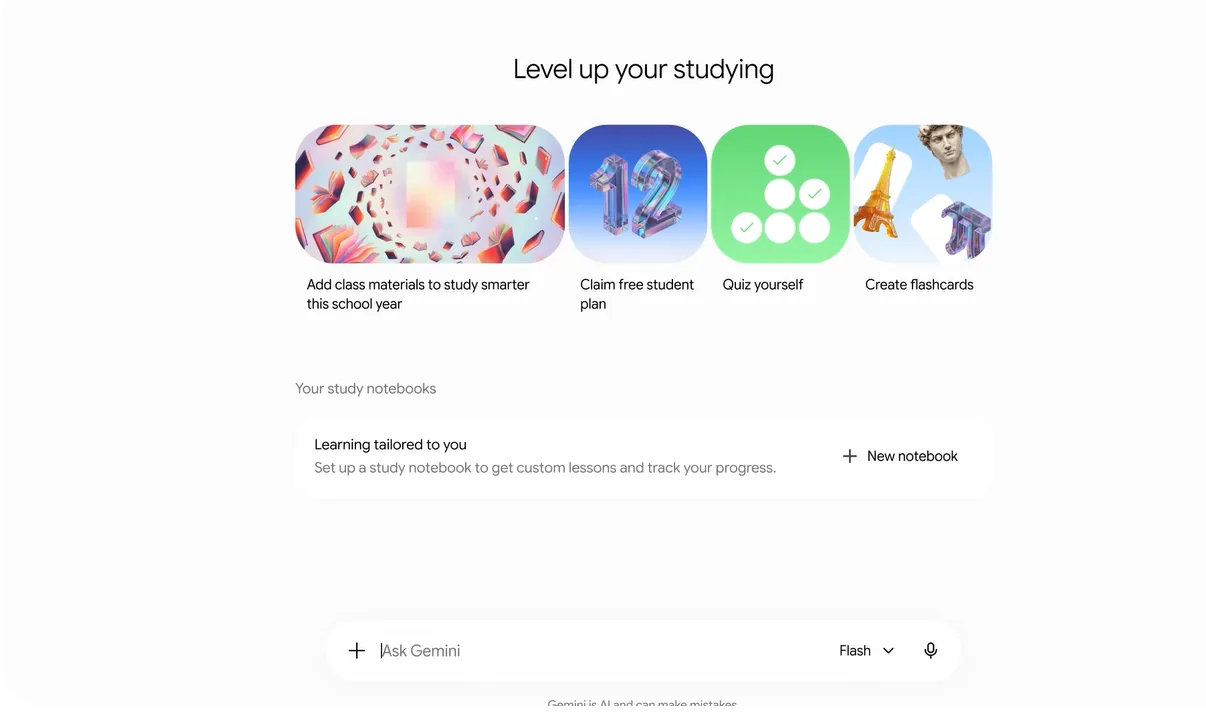
Google is also launching a dedicated section within the Gemini app that consolidates educational tools in one place. Here, users will be able to create a study notebook, flashcards, take practice tests, and use other features.
Source: blog.google
The Tech on Telegram Follow The Tech on Telegram
Keep up with the latest technology and startup news.
Related reading




More from this author

Article Useful
How to protect your accounts from hacking: 8 settings you should check today
The Tech

Article Useful
500 Global: How the Accelerator Works and Who Can Receive Investments
The Tech

Article Interviews
Game Development in Central Asia: Arkady Moldavski on Developing Reverb and the Growth of the Industry
The Tech

Article Useful
Google, Tesla, BlackRock, and the IMF: Where to Apply for an Internship in Fall 2026
The Tech

News IT
Tesla unveiled the flying electric car Roadster
The Tech

News IT
Intero Biosystems startup won the Startup Battlefield at TechCrunch Disrupt 2026
The Tech