Which laptop to choose for the 2026 academic year: 10 best models for studying
Ahead of the new academic year, nearly every student and schoolchild faces the same question: which laptop to choose so that it’s suitable for lectures, term papers, and evening binge-watching. We’ve compiled 10 relevant models from 2026 for various tasks and budgets — from ultra-light ultrabooks to gaming devices with discrete graphics cards. We explain how they differ and who they’re best suited for.
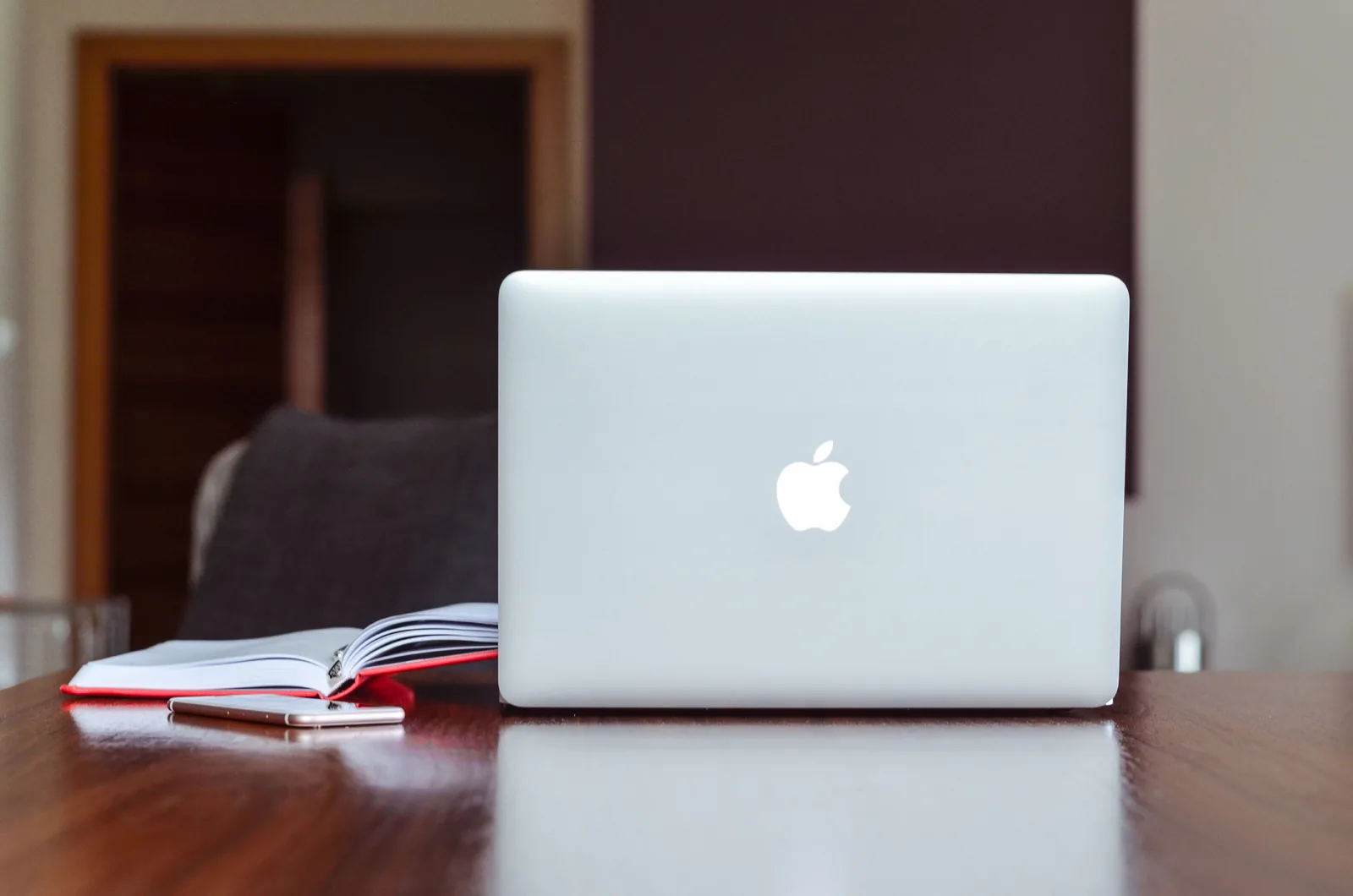
Apple MacBook Air 13 and 15 inches, M3 and M4 chips
The best choice for those who prioritize maximum battery life and complete silence during work. The battery lasts up to 18 hours, the body is made of aluminum and weighs between 1.24 and 1.51 kilograms, and the device has no fans at all—the MacBook Air is cooled passively. The trackpad is considered one of the best on the market, and the Liquid Retina display provides a clear image for working with text and tables. The only thing to keep in mind in advance is compatibility with the macOS operating system, so if your university requires software only for Windows, you should clarify this before purchasing.
ASUS Zenbook 14 OLED, models UX3405 and UX3480
A model for those who value color accuracy—for example, when editing photos and videos or working with graphics. The OLED screen with a resolution of 2.8K and a refresh rate of 120 Hz delivers a bright image with deep black colors, and the laptop weighs just over one kilogram. Inside are Intel Core Ultra processors with hardware-accelerated artificial intelligence, which handle both office tasks and more demanding software. Keep in mind that the high brightness of the OLED screen drains the battery faster than standard IPS panels, so it is better to reduce the brightness while traveling.
Honor MagicBook X16 and X14, 2025 and 2026 models
An optimal option if you want quality build without overpaying. The body is made of metal, the IPS screen with an anti-glare coating does not glare under classroom lights, and the keyboard is comfortable for long typing sessions. This laptop easily handles a browser with dozens of open tabs, documents and spreadsheets, as well as simple photo editing. The integrated graphics are designed for everyday tasks, so this model is not suitable for 3D modeling or heavy rendering.
Lenovo IdeaPad Slim 3 and Slim 5
A workhorse for those who write term papers, prepare presentations, and search for information on the internet without wanting to overpay. The model has an affordable price, a durable body, and a full set of ports—USB-A, USB-C, and HDMI—so you will hardly need to buy adapters. In the base versions, part of the body is made of plastic rather than metal, but this does not affect functionality. This is a sensible choice for those who need a laptop primarily as a work tool, not as a status symbol.
Xiaomi RedmiBook Pro 14 and 16
A model for those who need a multitasking solution—for study, programming, and watching movies simultaneously. The screen with a resolution up to 3K and a refresh rate of 120 Hz provides a clear image, and the standard configuration with 32 gigabytes of RAM allows keeping dozens of tabs and applications open without slowdowns. Special mention should be made of the thoughtful cooling system, which prevents the laptop from overheating during long work sessions. The downside is that the power adapter is slightly larger than those for minimalist ultrabook chargers, so it may not always fit in a small bag.
Huawei MateBook D 16 and MateBook 14
A good option for those who write many essays, work with spreadsheets, and keep multiple windows open on the screen. The 16:10 aspect ratio provides more vertical space than standard panels, which is convenient when working with documents. The keyboard feels comfortable even during long typing sessions, and the "Super Device" function allows wireless file exchange with Huawei smartphones and tablets. A discrete graphics card is not included in most versions, so this model is not the best choice for gaming and heavy video editing.
HP Envy x360 14
A model for those who take handwritten notes, draw diagrams, and work extensively with PDF documents. The convertible body opens 360 degrees and turns the laptop into a tablet, and the touchscreen supports a stylus. The sound quality is noticeably better than average for its class, which is convenient for educational videos and leisure. Keep in mind that the folding hinge adds about 1.45 kilograms to the body weight. It is also important to note that HP is gradually rebranding the Envy x360 14 line to OmniBook X, so both names for the same device line may appear in stores.
ASUS TUF Gaming F16 and Lenovo LOQ 15
An option for those who need a laptop for both study and gaming after classes—for example, engineering and creative students who require a discrete NVIDIA GeForce RTX graphics card for 3D modeling, 4K video editing, or rendering. The screen with a high refresh rate makes the image smooth in both games and dynamic videos. The trade-off is a weight of about 2.2 kilograms and noticeably shorter battery life under high CPU and GPU load, so this model is less suitable for constant movement around campus than ultrabooks.
Acer Swift Go 14 AI and Swift 16
A model for hybrid learning, video calls, and studying on the go. The built-in neural processor accelerates artificial intelligence tasks directly on the device, the 1440p resolution webcam provides a clear image during calls, and fast charging allows you to replenish the battery literally between classes. The design is understated, without bright accents, so it is more for those who value functionality over an eye-catching laptop appearance.
Apple MacBook Neo
The most affordable Apple laptop and a good option for those who want to enter the Mac ecosystem without overpaying for specifications. The model was released in 2026 and, for the first time in the MacBook line, runs not on an M-series chip but on the A18 Pro processor—the same one found in flagship iPhones. The 13-inch Liquid Retina screen with a resolution of 2408 by 1506 pixels and a brightness of 500 nits is well suited for text, spreadsheets, and watching lectures, and the body made of recycled aluminum weighs only 1.23 kilograms. Battery life lasts up to 16 hours of video playback. The limitations include 8 gigabytes of RAM without the ability to upgrade, so this model is not ideal for working with heavy software or dozens of tabs simultaneously, and the Touch ID fingerprint scanner is available only in the version with a 512-gigabyte storage drive.
The Tech on Telegram Follow The Tech on Telegram
Keep up with the latest technology and startup news.
Related reading




More from this author

Article Useful
How to protect your accounts from hacking: 8 settings you should check today
The Tech

Article Useful
500 Global: How the Accelerator Works and Who Can Receive Investments
The Tech

Article Interviews
Game Development in Central Asia: Arkady Moldavski on Developing Reverb and the Growth of the Industry
The Tech

Article Useful
Google, Tesla, BlackRock, and the IMF: Where to Apply for an Internship in Fall 2026
The Tech

News IT
Tesla unveiled the flying electric car Roadster
The Tech

News IT
Intero Biosystems startup won the Startup Battlefield at TechCrunch Disrupt 2026
The Tech